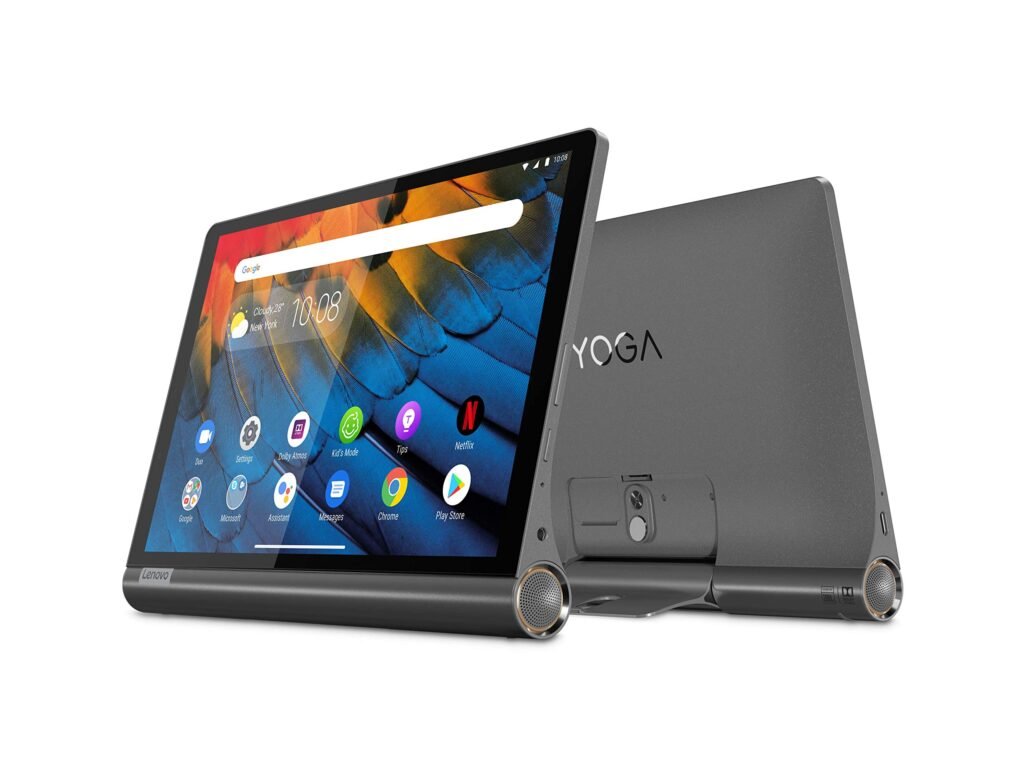
When it comes to tablets, functionality and design often compete for attention. However, the Lenovo Yoga Tab manages to balance both, offering a unique form factor with thoughtful features that cater to entertainment lovers, casual users, and professionals alike. Its standout element? A built-in kickstand that adds an edge to its usability and design. In this blog post, we take a closer look at what makes the Lenovo Yoga Tab a solid choice in the competitive tablet market.
A Design That Stands Out
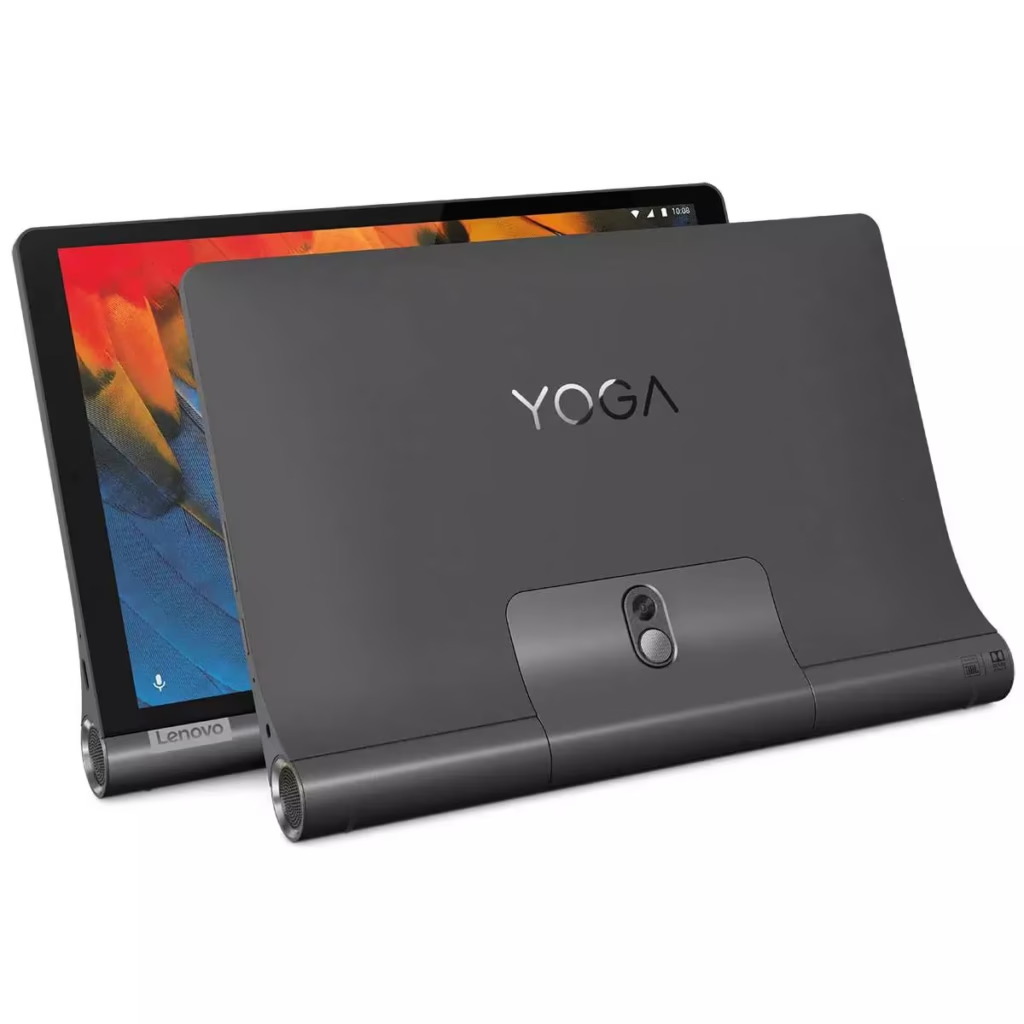
At first glance, the Lenovo Yoga Tab sets itself apart from the sea of flat and thin tablets. Its distinctive cylindrical edge houses powerful front-facing speakers and doubles as a grip when holding the device. But the real highlight is the built-in stainless-steel kickstand, which allows you to prop the tablet up at multiple angles or even hang it from a hook. Whether you’re watching Netflix, following a recipe in the kitchen, or attending a video call, this flexibility makes it one of the most user-friendly designs out there.
The textured back adds to the premium feel while providing better grip, and the overall build quality feels sturdy, not flimsy like many budget tablets.
Display and Performance
The Lenovo Yoga Tab comes in a few different models, including 8-inch, 10.1-inch, and even 13-inch versions depending on the year and generation. Most recent versions feature a 2K IPS display that offers vibrant colors, sharp details, and wide viewing angles. The display quality is excellent for binge-watching shows, editing documents, or even light gaming.
Under the hood, you’ll find MediaTek Helio or Qualcomm Snapdragon processors paired with 4GB to 8GB of RAM, depending on the model. While it may not rival high-end tablets in raw performance, it delivers smooth day-to-day usage and multitasking. It handles browsing, streaming, and productivity apps with ease.
Audio That Fills the Room
Sound quality is often overlooked in tablets, but Lenovo has gone the extra mile here. The Yoga Tab features dual JBL front-facing speakers, often tuned with Dolby Atmos support. The result? Clear, rich, and immersive sound that easily fills a room. You don’t need external speakers to enjoy movies or music.
Battery Life That Keeps Up
Thanks to its larger-than-average battery (often over 7000 mAh), the Yoga Tab can easily offer up to 10–15 hours of usage, depending on your tasks. It’s an excellent companion for travel or long workdays without constant recharging. Some models also support fast charging, which is a handy bonus.
Software and Extra Features
The Lenovo Yoga Tab runs on Android, providing access to the full suite of Google Play apps. Lenovo’s software is relatively clean with a few additional tools like Kids Mode and Productivity Mode that make the tablet more versatile for families or professionals.
Newer versions also come with optional accessories like keyboard folios and styluses, turning the tablet into a capable workstation or creative tool.
Final Thoughts
The Lenovo Yoga Tab isn’t just another Android tablet. With its built-in kickstand, quality audio, long battery life, and unique design, it offers a compelling alternative to more expensive tablets. While it may not be the fastest device on the market, it excels in practicality and user experience, making it ideal for casual users, students, and anyone who values versatility.
FAQs about the Lenovo Yoga Tab
1. Is the Lenovo Yoga Tab good for watching movies?
Yes, the Yoga Tab offers a sharp display, strong battery life, and powerful front-facing JBL speakers, making it perfect for media consumption.
2. Can you write or draw on the Lenovo Yoga Tab?
Some models support stylus input, making it possible to take notes or sketch. However, stylus support depends on the specific model.
3. Does the Lenovo Yoga Tab support multitasking?
Yes, with its Android OS and decent RAM, the Yoga Tab handles multitasking like browsing, video calling, and using productivity apps smoothly.
4. Is it good for students or work-from-home setups?
Definitely. With a built-in kickstand, solid audio, and support for keyboards, it’s well-suited for video calls, note-taking, and presentations.
5. What sizes are available for the Lenovo Yoga Tab?
The Yoga Tab comes in various sizes, typically ranging from 8 to 13 inches, depending on the model and release year.