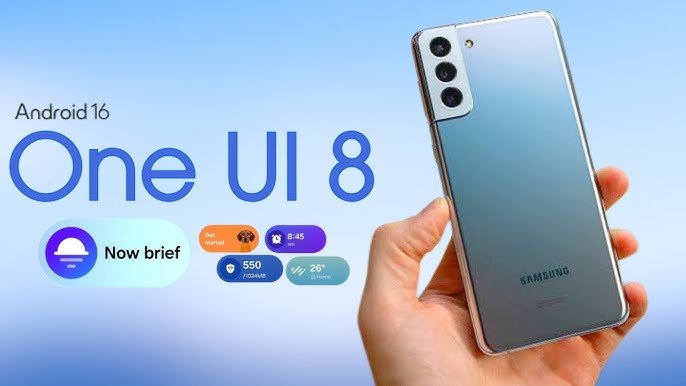
Samsung has officially started rolling out the One UI 8 stable update for the Galaxy S21 FE, bringing a fresh user experience and several performance improvements to this popular flagship. After months of beta testing, users can finally enjoy the stable build that introduces Android 16-based enhancements, improved security, and new customization features. This update marks another milestone in Samsung’s continued commitment to timely software updates for its devices.
A Fresh Android 16 Experience
The One UI 8 update is built on Android 16, offering smoother animations, better multitasking, and enhanced app management. Users will notice a cleaner interface with refined icons, rounded design elements, and new color accents that align with Samsung’s updated design language. The update focuses on user comfort, delivering faster touch responses, improved battery optimization, and a more seamless transition between apps.
Performance and System Improvements
Under the hood, One UI 8 introduces AI-powered optimizations that boost overall system stability and app launch times. Samsung has fine-tuned memory management and background app control, resulting in longer battery life and fewer system lags. The update also includes the latest October 2025 security patch, which fixes multiple vulnerabilities to ensure safer device usage.
For gaming enthusiasts, the Galaxy S21 FE now performs more efficiently with Game Booster improvements that automatically balance performance and heat management. Combined with the Exynos 2100 or Snapdragon 888 chipset, users can expect smoother frame rates during extended gaming sessions.
Enhanced Personalization Options
One UI 8 offers deeper customization options, allowing users to tailor their Galaxy experience to their liking. The new Lock Screen customization feature lets users change font styles, clock positions, and widget layouts. The Modes and Routines section has been enhanced to offer smarter automation based on location, activity, or connected devices.
Additionally, the update improves notification control, allowing users to prioritize app alerts and minimize distractions. Samsung has also added subtle touches like improved animations, refreshed wallpapers, and smoother transitions for a more polished feel.
Camera and Multimedia Enhancements
Samsung’s camera app receives multiple tweaks with the One UI 8 update. The Pro Mode has been refined for better manual control, while low-light photography has improved significantly with optimized image processing. The Gallery app also introduces AI-based photo remastering for better image clarity and automatic enhancement suggestions.
On the multimedia side, One UI 8 supports enhanced audio controls and improved Bluetooth connectivity. Streaming performance is smoother, and device pairing with Galaxy Buds or SmartThings accessories feels more seamless.
Availability and Installation
The One UI 8 stable update for the Galaxy S21 FE is currently rolling out in select regions, starting with Europe and Asia, and will expand globally in the coming weeks. To check for the update manually, users can go to:
Settings → Software Update → Download and Install.
Samsung recommends having at least 50% battery charge and a Wi-Fi connection before updating to ensure a smooth installation process.
FAQs
1. Which Android version does One UI 8 bring to Galaxy S21 FE?
One UI 8 is based on Android 16, offering new features, improved UI design, and enhanced privacy controls.
2. How big is the One UI 8 update for Galaxy S21 FE?
The update size is approximately 2.5 GB, though it may vary slightly depending on the region and model.
3. Is the update available for all Galaxy S21 FE variants?
Yes, but the rollout is phased, so it may take a few days to reach all regions and carrier-locked versions.
4. Does One UI 8 improve camera performance?
Yes, Samsung has improved low-light photography, image processing, and Pro Mode controls in this update.
5. Can users revert to the previous version after updating?
Technically, it’s possible through manual flashing, but Samsung does not recommend downgrading as it can affect system stability and security.