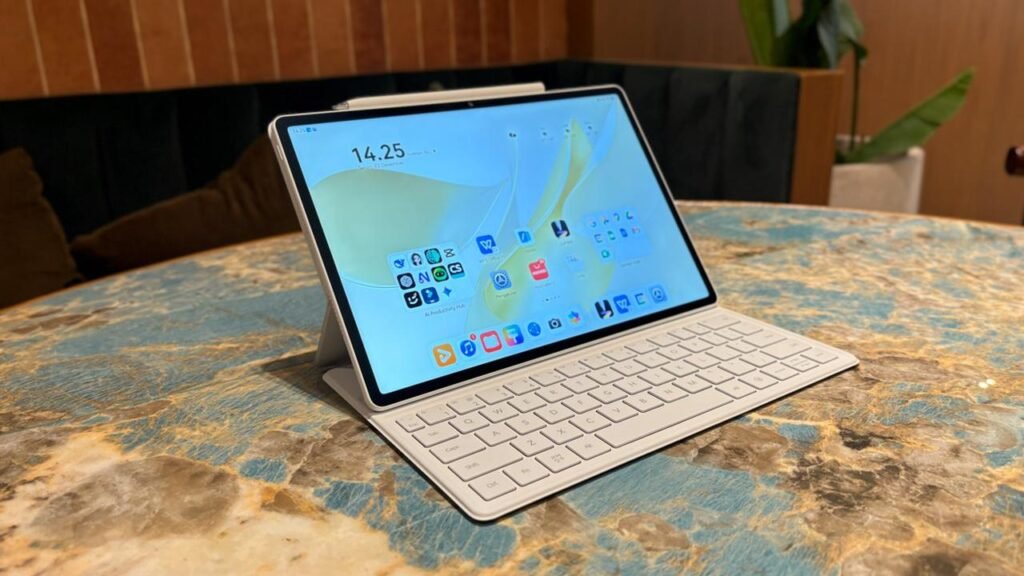
Huawei has expanded its tablet portfolio with the Huawei MatePad Air (2026), a device that combines portability, premium design, and productivity-focused features. During our first hands-on experience, the tablet immediately stood out for its slim profile, lightweight construction, and responsive display. While it is designed for entertainment, Huawei is clearly positioning the MatePad Air (2026) as a capable companion for students, professionals, and creative users.
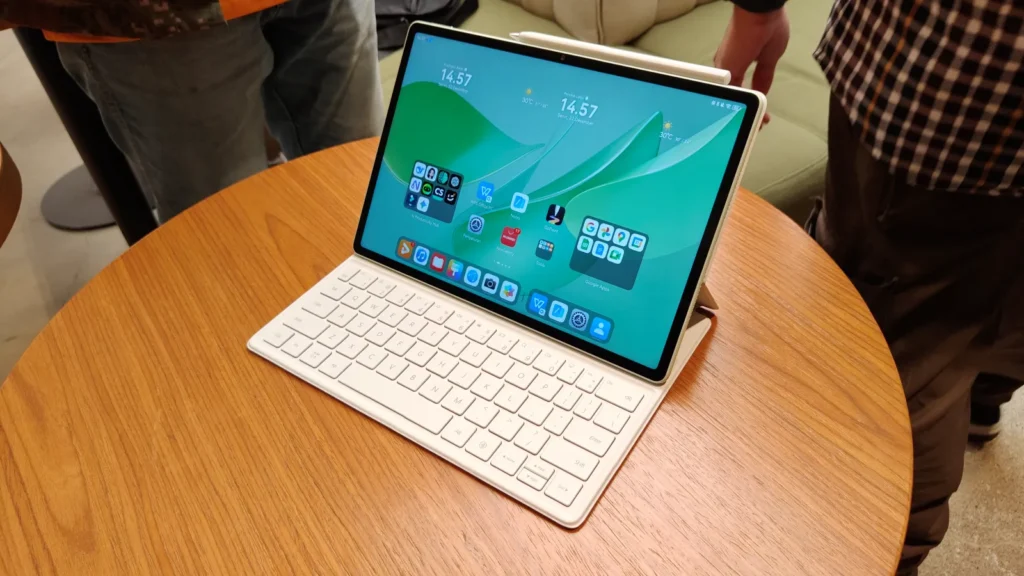
The latest MatePad Air continues Huawei’s strategy of offering premium tablet experiences with a focus on multitasking, stylus support, and seamless integration within the Huawei ecosystem. Here’s a closer look at what the new tablet offers.
Premium Design That Feels Comfortable
The Huawei MatePad Air (2026) features a modern and minimalist design with a slim chassis that makes it easy to carry throughout the day. Despite its large display, the tablet remains lightweight, making it comfortable to hold for extended reading sessions, note-taking, or video streaming.
Huawei has also refined the build quality with a premium finish that gives the tablet a flagship appearance. The narrow bezels maximize screen space while maintaining a balanced look, making the device suitable for both work and entertainment.
Bright and Smooth Display Experience
One of the biggest highlights of the MatePad Air (2026) is its high-quality display. The screen delivers vibrant colors, sharp details, and smooth scrolling, creating an enjoyable experience whether you’re browsing the web, editing documents, or watching videos.
The display also supports high refresh rates, making animations feel fluid and improving responsiveness across the interface. During hands-on use, touch input felt fast and accurate, which is especially beneficial when using Huawei’s stylus for writing or drawing.
The tablet’s large screen also enhances multitasking by providing enough space for split-screen applications and floating windows.
Performance Built for Everyday Productivity
Huawei has equipped the MatePad Air (2026) with updated hardware designed to handle everyday tasks efficiently. Whether opening multiple applications, switching between productivity tools, or streaming high-resolution content, the tablet performs smoothly.
The software experience is optimized for multitasking, allowing users to run several apps simultaneously without noticeable slowdowns. Features like multi-window support and drag-and-drop functionality make it easier to complete work on the go.
Although Huawei has not positioned the MatePad Air (2026) as a gaming-focused tablet, its hardware is capable of handling casual gaming and demanding applications with ease.
Productivity Features Take Center Stage
The MatePad Air (2026) is clearly designed with productivity in mind. When paired with Huawei’s keyboard accessory and stylus, the tablet transforms into a lightweight workstation suitable for students, professionals, and creators.
Users can write notes, annotate documents, sketch ideas, or manage presentations directly on the tablet. Huawei’s software enhancements further improve the overall experience by enabling efficient multitasking and smooth interaction between supported devices.
For users already invested in Huawei’s ecosystem, the tablet offers additional convenience through cross-device collaboration, allowing files and content to move seamlessly between compatible Huawei products.
Battery Life and Daily Usage
Although detailed battery testing requires longer use, Huawei claims the MatePad Air (2026) is built to deliver reliable all-day performance. Fast charging support also helps reduce downtime, allowing users to quickly return to work or entertainment.
The combination of efficient hardware and software optimization should make the tablet a dependable option for long study sessions, office work, travel, and media consumption.
First Impressions
After spending time with the Huawei MatePad Air (2026), it is clear that Huawei has focused on refining the overall tablet experience rather than introducing dramatic design changes. The slim body, premium construction, responsive display, and productivity-oriented software create a balanced package that appeals to a wide range of users.
While full performance benchmarks and long-term testing are still needed, the tablet leaves a positive first impression. It offers the versatility required for both work and entertainment while maintaining the portability expected from a modern premium tablet.
Final Thoughts
The Huawei MatePad Air (2026) appears to be a strong addition to Huawei’s growing tablet lineup. Its lightweight design, impressive display, productivity features, and smooth software experience make it suitable for students, professionals, and casual users alike.
If Huawei continues to deliver competitive pricing alongside its premium hardware and ecosystem features, the MatePad Air (2026) could become one of the most attractive productivity tablets in its category.
FAQs
1. What is the Huawei MatePad Air (2026)?
The Huawei MatePad Air (2026) is a premium tablet designed for productivity, entertainment, note-taking, and multitasking with a lightweight design and high-quality display.
2. Does the Huawei MatePad Air (2026) support a stylus?
Yes. The tablet supports Huawei’s stylus, allowing users to write notes, sketch, annotate documents, and create digital artwork.
3. Is the Huawei MatePad Air (2026) suitable for multitasking?
Yes. The tablet includes software features like split-screen mode, multi-window support, and drag-and-drop functionality to improve productivity.
4. Can the Huawei MatePad Air (2026) replace a laptop?
For many everyday tasks such as document editing, note-taking, web browsing, presentations, and media consumption, it can serve as a capable laptop alternative when paired with a compatible keyboard.
5. Who should buy the Huawei MatePad Air (2026)?
The tablet is ideal for students, professionals, creators, and users looking for a portable device that balances productivity, entertainment, and premium design.